Innovation
Set Up a Password Manager Years Ago? The Annual Hour That Keeps It From Rotting
Ten years ago the yearly password chore was churning complex strings on a schedule; now it is checking recovery paths, second factors and who else can get in.
Lucinda Fairbairn|
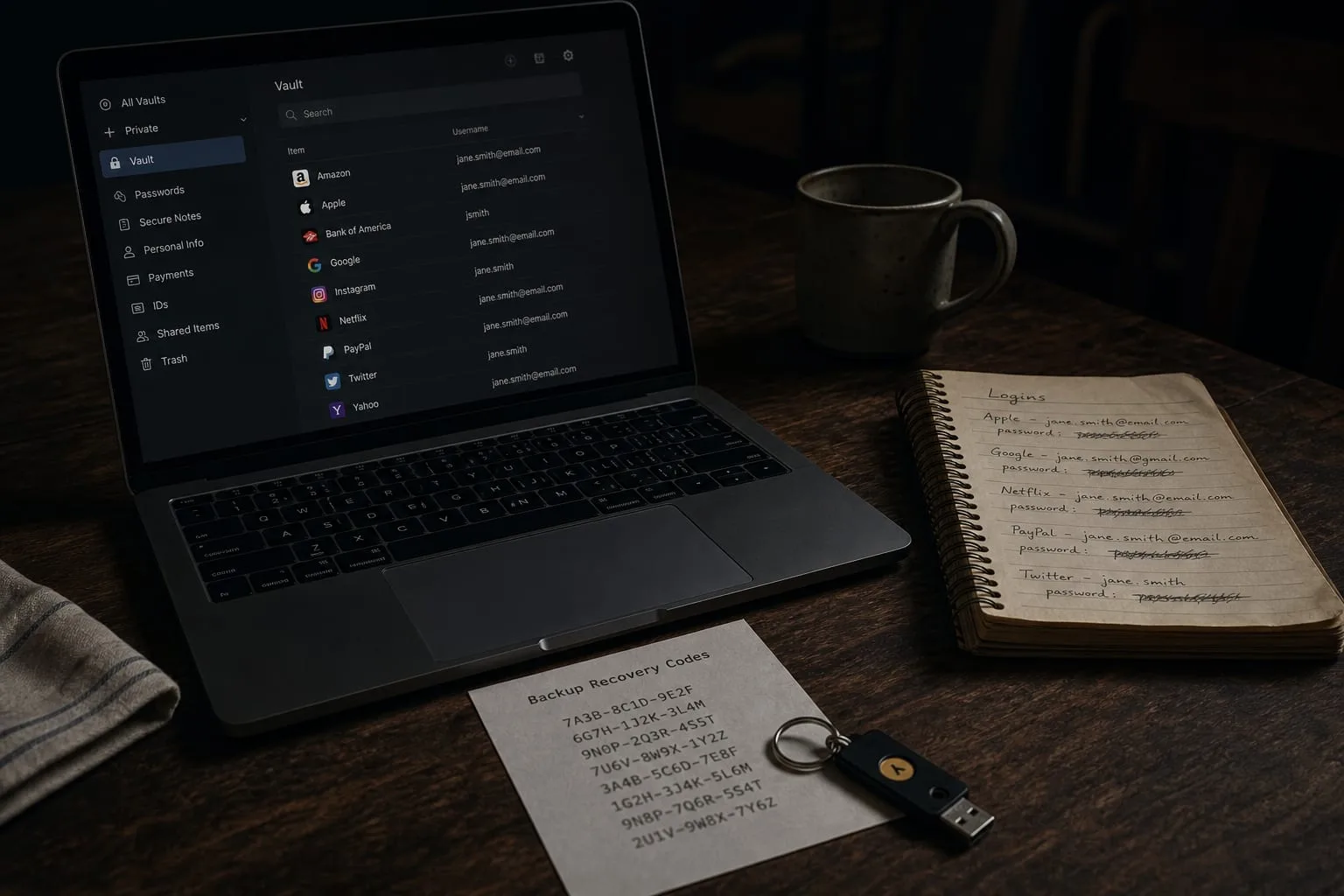
Anyone who has set up a password manager three or four times, for themselves, for a spouse, for a parent who kept a spiral notebook by the landline, knows that the install is the easy part. The account gets created, the browser extension goes in, an evening disappears into importing eighty logins, and then nothing happens for two years. What happens in those two years is the actual subject. Credentials are not a purchase, they are a system with moving parts, and the parts that fail are almost never the passwords themselves. They are the phone number attached to the recovery flow, the authenticator app that lived on a device you traded in, and the one login nobody else in the house can reach.
The hour of upkeep still exists. It just goes somewhere completely different than it did a decade ago, and someone who has run this chore many times can feel the shift in what the hour is spent on.
The same annual hour, spent on entirely different things
Around 2014 or 2015, the responsible household administrator sat down once or twice a year and rotated. Bank, email, the two credit cards, the utility portal, the one shopping site that had been in the news. Each got a fresh string of upper case, lower case, digit and punctuation, because that was the shape every form demanded, and each new string got written into the vault. The work was mechanical and it felt like diligence. It also produced the predictable side effect that anyone who did it repeatedly will recognize: passwords drifting toward a base word with a rising number on the end, because a human being cannot invent twelve unrelated nonsense strings a year and stay sane about it.
The current version of that hour touches almost none of that. Nothing gets rotated on a calendar. What gets checked instead is whether the recovery email on each important account is one you still control, whether the second factor is attached to a device you still own, whether the vault's own emergency access is pointed at a person who is still in your life, and whether the manager's breach report is flagging a reused credential you forgot about in 2017. The passwords are stable. The scaffolding around them is what moves.
Length beat complexity, and it changed the maintenance load
The single biggest change in a decade is that the guidance stopped rewarding character-class gymnastics and started rewarding length, uniqueness and evidence of compromise. The National Institute of Standards and Technology is the body responsible for federal digital identity guidance in the United States, and the modern posture it advanced, screening credentials against known-breached lists rather than forcing arbitrary composition and expiry, is now the default in most reputable password managers and in a growing share of the login forms you meet. Practically, that means a long generated passphrase or a thirty-character random string is not something you improve by replacing it next spring. It is already at the ceiling.
For someone maintaining a household's logins, that is a real reduction in labor, and it redirects attention to the thing that actually causes lockouts. The old model treated the password as perishable and everything else as fixed. The new model treats the password as durable and everything else as perishable. Phone numbers get ported. Email addresses attached to a former employer stop working. A recovery question answered in 2013 with a street name is now trivially findable. Those are the entries that quietly expire, and no manager will nag you about them, because the manager only knows what it stores, not what the account's recovery screen is pointed at.
The second factor is now the part that breaks
Ten years ago, two-factor authentication was a text message and it was optional almost everywhere. Now it is the norm on anything holding money, and the interesting maintenance question is which flavor you are on and what happens when the device dies. A text code is better than nothing and worse than everything else, because a SIM swap moves it to somebody else without touching your password at all. An authenticator app is a real improvement and introduces its own dependency, since the codes live on one phone unless you deliberately chose a version that syncs. A hardware key is stronger still and gets lost in a jacket pocket like anything else made of metal and plastic.
The habit that separates people who have done this many times from people doing it once is the recovery code file. Every account that offers a second factor also offers a set of one-time backup codes at setup, and the ten-minute discipline is to actually save them, into the vault under the matching entry, with the date. That is what turns a broken phone from a two-week ordeal of identity verification into a five-minute annoyance. Passkeys, which replace the password entirely with a key held by your phone, laptop or hardware token, are the same story in a better wrapper: excellent day to day, and worth setting up on a second device so a single lost phone is not a single point of failure.
Shared and inherited access, the part nobody set up in 2015
The old vault was a personal artifact. One master password, one person who knew it, and an unspoken assumption that nothing would ever need to be opened by anyone else. Households that ran that way for years eventually hit the situation in which one person is hospitalized, traveling, or simply asleep at two in the morning when the other needs the mortgage servicer login. Every serious manager now handles this properly, through shared folders for the accounts that are genuinely joint, the insurance portal, the pediatrician, the streaming subscriptions, and through an emergency access designation that grants a named person entry after a waiting period they cannot shorten.
Setting that up takes about twenty minutes and it is the highest-value twenty minutes in the whole exercise, because it converts a private system into a household one without handing over the master password. The maintenance question attached to it is small but real: the designated person has to still be reachable, their own account has to still exist, and the shared folder has to actually contain the accounts that matter rather than the ones that were easy to move. Reviewing that once a year, alongside the recovery emails, is the modern equivalent of the old rotation ritual, and it takes less time while preventing a much more expensive kind of failure.
The pattern that emerges after running this several times is that the work never disappears, it relocates. Whoever keeps a household's logins in order today is doing less typing and more auditing, less invention and more verification, and the annual hour is now spent confirming that every important door has a second way in that you control. Put the recovery codes in the vault, name the emergency contact, and the next broken phone costs an afternoon rather than a month.